
Shazam: Find Music & Concerts
Apple Inc.Music & Audio
4.8162.69K Reviews
- Version
- Varies With Device
- Installs
- 500.00M
- Age Rating
- Teen
Screenshots

Our Review of Shazam: Find Music & Concerts
 Analysis by Appyee
I often reach for Shazam: Find Music & Concerts when a song catches my attention and I don’t want to rely on a half-remembered lyric later. As a music discovery app from Apple Inc., it is built around a simple habit: identify what is playing, then decide what to do with that discovery. That focus makes it useful even if I already have a streaming service, because searching by sound solves a different problem from browsing a library.
A quick answer when a song catches your ear
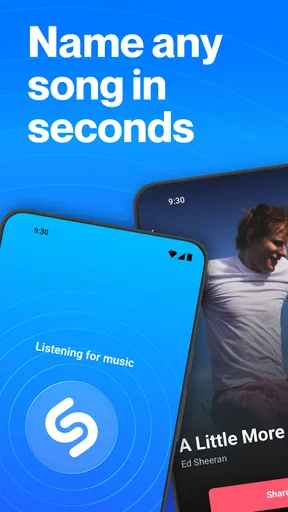
The central action is refreshingly direct: open the app, tap the Shazam button, and let it listen. When it recognizes a track, the result gives you a practical starting point for finding the artist and hearing the song again. I find this most valuable in brief, ordinary moments—a track playing in a shop, a café, a film, or someone else’s car—when there is no realistic way to ask what it is or type a lyric into a search box.
It is not a replacement for choosing music yourself. It is a bridge between hearing something unexpectedly and being able to look it up later. That distinction explains why I would keep it alongside a streaming app rather than expect it to do the same job.
Discovering Music Made Easy
When it comes to identifying music, Shazam does the job effortlessly. You simply open the app, tap the big Shazam button, and voilà! In just a few seconds, it tells you the song's title, artist, and even gives you a link to listen to it. It's like having a music guru in your pocket 24/7.
What I love most is how quick and accurate it is. I've tested it in noisy environments, and it still manages to pick up the tunes without a hitch. This is a lifesaver when you're at a party or a bustling cafe, and a catchy song comes on.
Small habits that make identification more useful
I get better results when I treat a recognition attempt as a short listening window, not as a test of whether the app can hear through anything. If a conversation or another sound is dominating the room, I move closer to the speaker when that is practical and try again during a clearer moment. This matters especially with quiet background music: the app can only identify what its microphone can pick up distinctly.
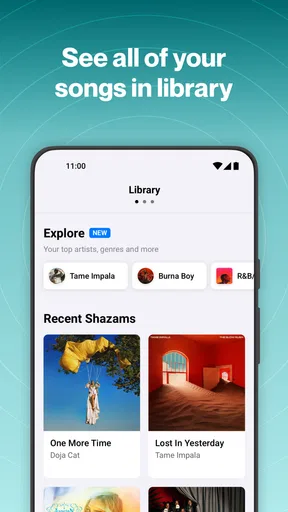
There is also a useful follow-through habit: when I find a track I like, I save or share the result before moving on. A name glimpsed once is easy to forget, particularly when I am out and not ready to start listening immediately. Turning a quick discovery into a saved playlist addition or a message to a friend makes the app more than a one-off recognition button.
Concerts and More
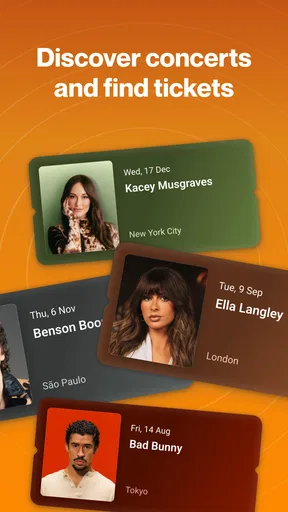
But wait, there's more! Shazam isn't just about recognizing songs. It also connects you to live music experiences. With its newly integrated concert features, you can discover upcoming shows and get ticket information right within the app. It's like a backstage pass to the world of live music.
For someone like me who loves attending concerts, this feature is gold. You can even keep track of your favorite artists and get notified when they're performing nearby. It’s like having a personal concert planner.
From a discovered track to a night out
The concert side is most helpful when a song has already introduced me to an artist. I can use the discovery as a prompt to explore whether that act is playing nearby, rather than trying to remember an artist’s name later and searching from scratch. It is a convenient connection between listening and live music, though I would still check the event details before making plans; finding a show is a starting point, not a substitute for deciding whether the date and venue work for me.
This feature is a better fit for listeners who enjoy going to shows or want an easy way to follow artists they have just discovered. If I only want a fast answer about a song and have no interest in concerts, the identification function remains the main reason to install the app; the live-music discovery is an extra rather than a requirement.
User-Friendly Experience
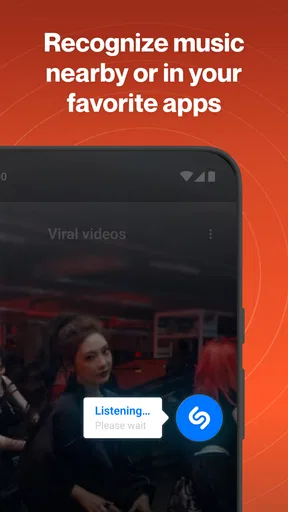
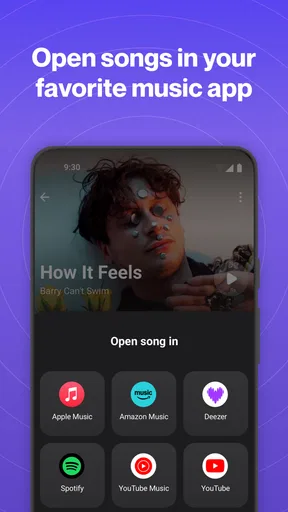
One thing I appreciate about Shazam is its user-friendly interface. It’s clean, intuitive, and straightforward. Whether you're tech-savvy or not, you’ll find it easy to navigate. The app also syncs with your Apple Music or Spotify account, letting you add discovered songs directly to your playlists. How cool is that?
Plus, Shazam’s integration with other platforms is seamless. You can share your discoveries on social media or with friends to spread the music love. It’s a great way to build connections through music.
How it fits beside streaming and search apps
For the usual alternatives, the important difference is the input. A streaming service is where I go when I know what I want to hear, or when I want recommendations based on music I already enjoy. A general web search can work if I know a lyric or can describe a tune, but that becomes awkward when the song is unfamiliar or the words are unclear. Shazam’s advantage is that I can start with the sound itself.
That strength has a boundary. It identifies music playing around me; it is not the tool I would choose to search a library by mood, build a long listening queue, or manage all the details of a concert outing. I still use a streaming app for sustained listening and other sources when I need broader event planning. For someone who mainly wants curated recommendations, a music service’s discovery features may be the better first download.
A realistic use for me is hearing a promising track while grabbing coffee, identifying it before leaving, then adding it to a playlist once I have a moment. Later, if I become interested in the artist, the concert information gives me another avenue to explore. That is a modest workflow, but it solves the annoying gap between “I like this” and “what was it called?”
Offline mode and other features
Here’s another nifty feature: offline mode. If you’re somewhere without internet, no worries. You can still Shazam the song, and it’ll identify it once you're back online. This is perfect for those moments when you’re out of range but still want to catch that awesome track.
In practice, I treat this as a way to capture a recognition attempt for later rather than as a promise of an instant answer without a connection. If I am somewhere with unreliable service, I can still try to tag what is playing and check the result when I am back online. That changes the timing, not the basic purpose: I still need to make sure the sound is audible enough for a useful match.
Additionally, Shazam provides lyrics for many songs, allowing you to sing along (or pretend you know the words). The app also offers curated playlists and music videos, making it a mini music hub on your phone.
Those extras are handy when they help me stay with a discovery, but I would not install it expecting a full replacement for a dedicated music player. Lyrics are available for many songs, not every possible track, and the playlists and videos are supporting ways to explore rather than the core reason I use the app. The practical tip is to think of them as optional next steps after recognition.
Who will get the most from it
I would recommend it most to curious listeners who often hear music in public, people who enjoy finding new artists, and concert-goers who like connecting discoveries with live performances. It is also useful if you share music socially: identifying a song gives you a reliable name to send instead of trying to describe a melody in a text.
It is less compelling for someone who rarely encounters unknown music, prefers to search only by lyrics, or wants one app to handle every part of listening and event planning. If you already know the track, opening a streaming service is quicker. If a song is playing too quietly or is covered by speech, no recognition tool can make the source clear by magic. Knowing those limits helps keep the experience satisfying rather than expecting every attempt to work in every setting.
What to expect from the app today
As a free music-and-audio app for teens and older users, it has a broad audience and a focused job. Its average rating is 4.8 from around 12 million ratings, and it has passed 500 million installs. Those figures suggest that song recognition is a familiar, useful need for many people, but they do not change my practical advice: its value depends on whether you actually come across music you cannot name.
The product is developed by Apple Inc., and the experience described here is centered on identifying music and following up with listening, lyrics, videos, and concert discovery. I would not assume a particular feature will remain unchanged forever; app features can evolve, and it is sensible to check the current app experience when a specific capability matters to you. What I would watch for as a user is whether the path from a match to the next action stays simple, especially when I want to save a track or explore an artist’s live dates.
Final Thoughts
In a nutshell, Shazam: Find Music & Concerts is a must-have app for anyone who loves music. Its ability to quickly identify songs and connect you to concerts is unmatched. Not to mention, it’s free! Sure, there are occasional ads, but they’re a small price to pay for such a powerful tool.
If you’re passionate about discovering new music and keeping up with your favorite artists, give Shazam a try. It has certainly elevated my music experience, and I’m sure it will do the same for you. Happy Shazaming!
Privacy and Permissions
See what permissions an app requests and how it handles your data.
- Location
- approximate location (network-based)
- Microphone
- record audio
- Other
- view network connections, full network access, change your audio settings, run at startup, set wallpaper, draw over other apps, control vibration, prevent device from sleeping, read Google service configuration
Verdict
Strengths of Shazam: Find Music & Concerts
- Identifies songs quickly and accurately.
- Integrates seamlessly with streaming services.
- Provides concert information and tickets.
- Offline mode saves tags for later use.
- User-friendly interface and navigation.
Limitations of Shazam: Find Music & Concerts
- Requires internet for real-time tagging.
- Ads can be intrusive in free version.
- Some features need a premium subscription.
- Occasional misidentification of songs.
- Limited social sharing options.
Similar Picks in This Category
View All
YouTube Music
Google LLC4.4

Samsung Music
Samsung Electronics Co., Ltd.3.8

Spotify: Music and Podcasts
Spotify AB4.3

JioSaavn - Music & Podcasts
Saavn Media Limited4.3

Lark Player:Music Player & MP3
Lark Player Studio - Music, MP3 & Video Player4.6

StarMaker: Sing Karaoke Songs
SKYWORK AI PTE. LTD.4.3
You May Also Like
View All


Frequently Asked Questions
How does Shazam identify songs?
Shazam uses advanced audio recognition technology to identify songs. When you tap the Shazam button, it creates a digital fingerprint of the audio being played and matches it against a vast database of songs. This process generally takes a few seconds, providing you with the song title and artist information almost instantly.
Can Shazam work offline?
Yes, Shazam can work offline to a certain extent. When offline, Shazam can still listen to the music and save the audio snippet. Once your device is back online, the app will then match the snippet to identify the song. This ensures you don’t miss out on identifying tracks even without an internet connection.
Does Shazam offer music streaming?
Shazam itself does not stream music directly, but it integrates seamlessly with popular music streaming services like Apple Music, Spotify, and YouTube. After identifying a song, you can listen to it in full on these platforms, provided you have an account. This makes it easy to discover and enjoy new music.
Is Shazam free to use?
Shazam is free to download and use. Users can identify songs and access basic features without any cost. However, there may be in-app advertisements. There is also a premium version, Shazam Encore, which offers an ad-free experience and additional features for a one-time purchase fee.
What additional features does Shazam offer?
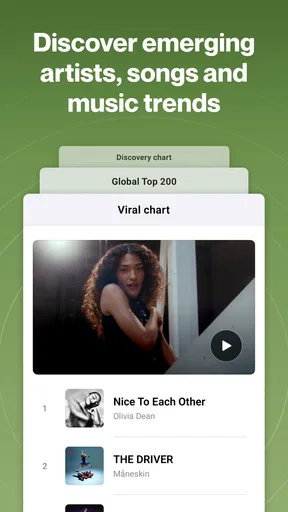
Beyond song identification, Shazam offers features like real-time lyrics, music video integration, and concert information for artists you Shazam. The app also provides music charts and personalized recommendations based on your Shazam history, enhancing your overall music discovery experience.
